FROM COMPLEXITIY TO CONTROL:Rethinking how actions in Flexitive are presented and controlled allows for new users to easily bridge the gap from their current workflow into a more automated workflow, and allows existing users to save more time and reduce the friction when customizing their design.
Rethinking the Flexitive Workflow
PROBLEMS1. New users are confused
New users are unclear what will happen to all sizes of a design when making a change, and often have to guess or refer to a support article to be aware. This makes changing over to a more automated workflow a daunting task.
2. Existing users can’t customize
Users are limited and have no way to customize changes on a size-by-size basis when it fits their workflow. This leads to overduplication of assets and restricts the animation capabilities of a design.
OPPORTUNITYHow can we make the Flexitive workflow clear & cusomizable?
GOALSCONFUSING → CLEAR
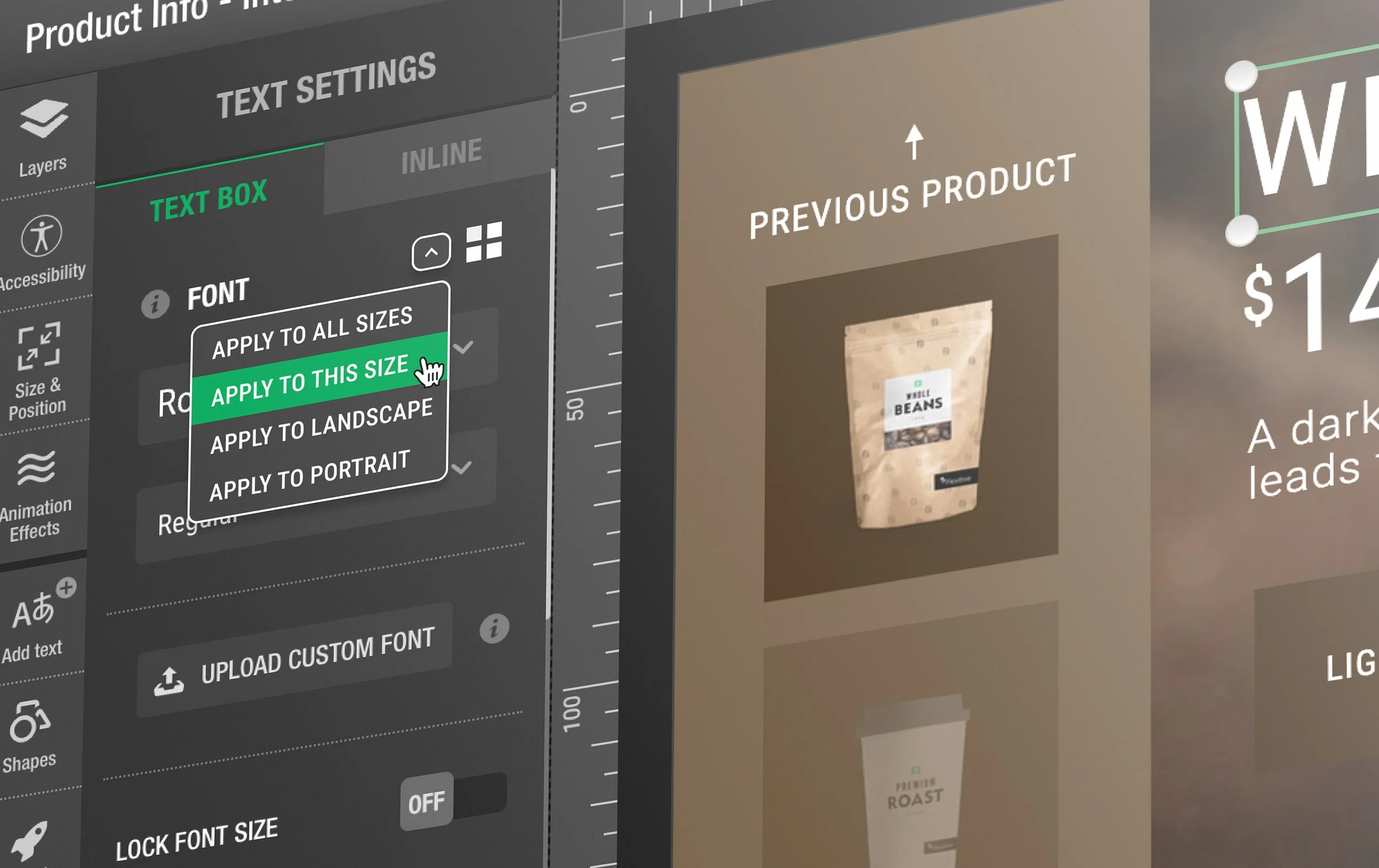
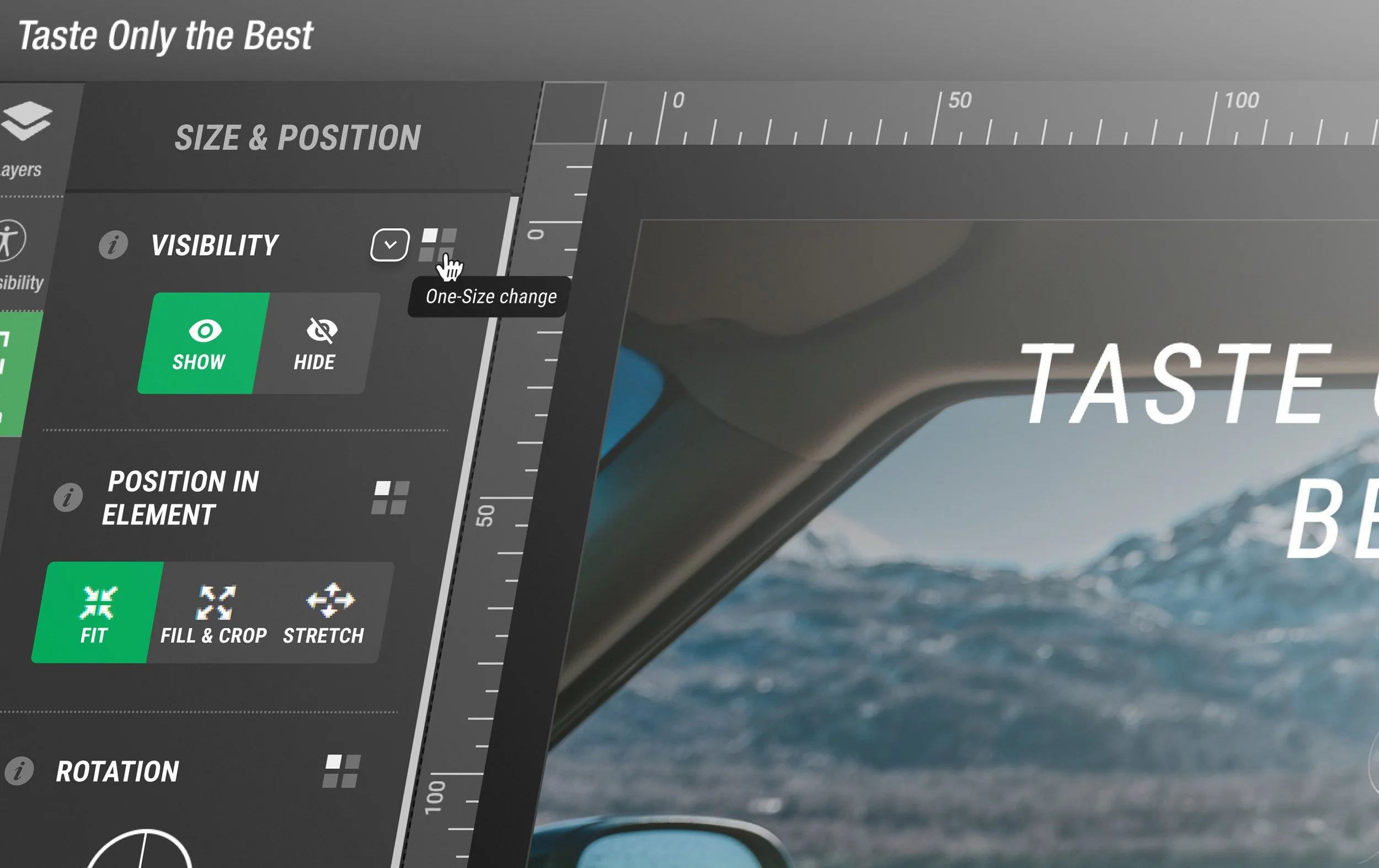
A user should be aware of every action they make, and how it will impact all their other design sizes. Adding an easily identifiable ‘One-Size change’ or ‘All-Sizes change’ icon beside each feature will ensure a user is never guessing when making a deliberate action, all while taking up very little real estate in the app.
GENERIC → CUSTOMIZABLE
Every company and user has a different workflow. Allowing any user to control whether actions are one-size or all-size changes will allow for more flexibility when designing, and ensure that they can optimize their workflow as they see fit. This customization will lead to less duplication of layers, and simplify designs.
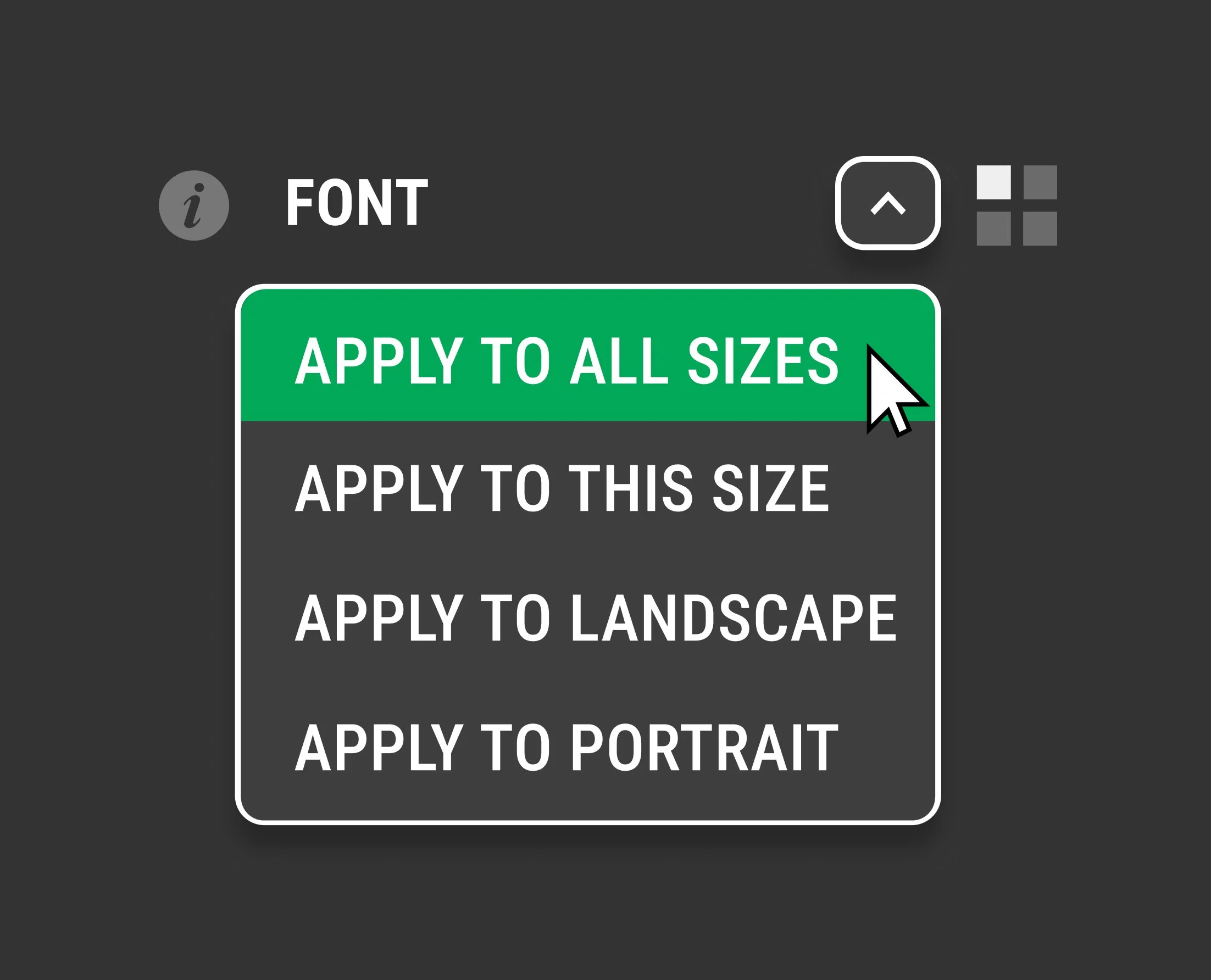
FINAL PRODUCT